Skip to content
  • Instagram
  • Facebook
  • TikTok
  • Twitter
  • Youtube
Welcome to irenelaw.com

Welcome to irenelaw.com

Previously known as sweetsurrender.99.com.my

  • Home
  • About
  • Contact
  • Disclosure Policy

Category: Tech Stuffs

Some geeky stuffs.

My 1001th Post

Posted on June 17, 2008November 21, 2008 By sweet surrender 7 Comments on My 1001th Post

It’s my 1001th post for using WordPress!!! *CLAP CLAP CLAP* 😛 My 1000th post is taken up by a sponsor hahaha… So I can only announce it on my 1001th post *LOL*

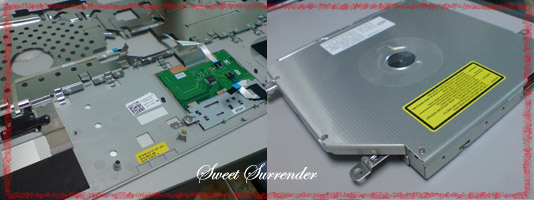
I hope the tech support from Dell will come today… I hope it can be fixed on the spot. All my latest data are in there, I can’t do much with my old laptop except doing things that I have copies online, those not stored online, it’s all in XPS. *SWEAT*

On this 1001th post, I’m going to tell you that I’m jinxed to the max!! Sigh… Every single gadget that is belonged to me and bought by me will sure have problem during its lifetime. This XPS is less than 3 month old only ok?!?!? Don’t ask me to go into the BIOS, I totally cannot even see a startup screen, how to go into BIOS? It happened after Windows update. It must be caused by the stupid Windows update. Just one update and that’s it, how “lucky” am I? I hope I’m not going to be charged with maintenance fee later. I hope they will come today! Must come today!!! Else I’m going to file a complain because the tech support told me yesterday that he’ll “most probably” send one over today. Do they keep their words or not? I’m not so sure with the “most probably” hmm…

So far, Dell tech support is good but their warranty team and customer service team are BAD! I was asking about extended warranty and it took them more than one week to reply me after I pressured the tech support team for the extended warranty quotation. Then when I got it, I have some parts that I’m not so sure and want to seek clarificiations but no respond from them for more than two weeks. During this period of time, I sent 4 e-mails containing the same questions and the quotation expired also.

Then I decided to just take up the offer given in the quotation that it will upgrade my current warranty and extend my warranty for another 2 years. I e-mailed them again asking whether the quotation still valid or not but no respond at all!!! How am I going to pay you when you don’t repsond to me?!?! I don’t want to pay and then later telling me that the quotation is no longer valid and need me to add on money for it again! This is so not right. Till now, I’m still stuck with this one year limited warranty thanks to the warranty team! “Lucky” me, there’s a problem now! If they are going to charge me for it, I will going to make sure Dell is going to compensate me for all the stress and time wasted! How am I going to do it? Blog big big about it? 😛 I don’t know… It’s not like I’m having 10K visitors per day hahaha…

We’ll wait and see… Still waiting for the tech support call to come over. Hmmm…

Let’s see how bad I’m jinxed:
1. My first laptop, Toshiba (don’t remember the model but it was pretty high end that cost about RM5K+), it “electrocuted” me whenever I typed. -.-” At the end, they refunded me fully as they cannot replace it, the model was no longer in production and it’s a factory defect, that’s what they said. All happened in 2 weeks time.

2. My second laptop, the one I’m using now, NEC also cost RM5K but slightly few hundreds cheaper than Toshiba with specification so much lower than Toshiba gave me problem in less than one week with the screen! My screen was “sliced” into half by a vertical blue line -.-” Sent it to repair. Two weeks later, it’s done but there were huge ugly scratches on my casing, it was so ugly! I demanded them to replace the whole unit to me but they said they could only change new casing for me. It took them another 2 weeks or so because they need to ship the casing over.

3. My home PC, I decided on the specs and it gave problem too not long after we used it.

4. My current camera, Canon Ixus i zoom, battery contact problem ever since the first time I used. Solved and using it until now. More than 2 years already.

5. XPS… Elaborated just now.

All these are the gadgets I owned so far since 2003. At least my mobile phone never give me any problem. I only have 2 mobile phones so far. My previous Canon Ixus was OK too because it’s not bought by me and I’m not the one choosing it also.

That’s why if people ask me to recommend eletronical gadgets, I won’t say too much. I never want to help anyone buy any gadget also. I’m very “lucky” with them *LOL* Hmm… Next time my DSLR, I think I better don’t go buy it myself, I’ll ask people to help me buy hahaha…

Bulletin Board, Me, myself and I, Tech Stuffs

Shop Safely Online

Posted on June 16, 2008June 16, 2008 By sweet surrender No Comments on Shop Safely Online

Many people like to shop online these days. I’m one of them also. It’s so convenient to shop online because you can shop anytime you want, anywhere you are and get the item send to your doorstep. Sometimes we have to shop online because the things we need aren’t available locally or we could get it online with cheaper price even after including the shipping fee. With the petrol price increase nowadays, many people try to stay home as much as they can to reduce the petrol usage. Therefore shopping online seems to be a very good option.

Many people are not confident in shopping online because they are afraid of credit card fraud and indentity fraud. Identity fraud getting rampant nowadays be it offline or online. There are many unscrupulous companies that sell your information to third parties and this explains why everyday we got so many phone calls from telemarketers trying to sell you their products or scammers calling you up trying to scam you.

When you don’t provide your details such as credit card numbers, bank accounts, billing address, email address, and login information to the website you shop at, then you will not be the potential victim but you know that you have to do so else you won’t be able to pay and get your product. So how? How to protect yourself when you are online especially when you shop online since there are many hackers around that are waiting to harvest your credit card and other personal information? Here’s something that you might find helpful.

ShopshieldShop Shield® is a new consumer service that offers complete protection against identity theft and fraud when you shop online. The good thing about this is that it’s free, new, unique, complete, and cutting edge privacy solution to protect your identity when shopping online. With it, you don’t have to have your details stored in the website you shop. Amazing don’t you think?

Currently it’s in live beta test and they want consumers to sign-up for usability testing. Do you want to be a part of it? If you do, rememebr to Visit Shop Shield® to Learn More

Sponsored by Shop Shield®

Tech Stuffs

King.com, My Current Obsession…

Posted on June 11, 2008June 11, 2008 By sweet surrender 11 Comments on King.com, My Current Obsession…

Hehehe… I have a bit of free time lately but I always tell many people that I’m busy. In fact I was busy and since now I have some extra time to relax, I played games 😛 As I don’t think I will have much free time starting next week. Assignments, classes and works would be taking up most of my time. So I took this opportunity to play as much as I like.

This is not paid!! I stumbled upon King.com few months back when I was looking for some new games such as Diner Dash, Fab Fashion and so on in Yahoo. I registered this account for fun and played some games in there. It’s quite fun and relaxing. Then I forget about it for few months. Until lately I decided to log in again to release some stresses.


You can make your own avatar. There are many types of games available and I’m so engrossed with Cooke Rookie 😛


Manage to win lots of jewels from Cookie Rookie. It’s so nice to win hehehe… Seeing your avatar smilling face after the win just make you want to play more. BEWARE! It’s really addictive because you want to progress to higher level and unlock those features, extra accessories or components for your avatar. Seeing the jewels fall into the cylinder will give you a sense of success 😛 The more the more satisfactions you’ll get hahaha…

There are various tournaments. You can choose any tournament that you want to play, almost all of them are free, means no jewel needed. You just play and if you win you will be awarded with jewels.


I didn’t expect to reach Topaz level in 3 days hehehe… Each level will let you unlock a feature and each feature has cute animation hehehe… You have to reach them to see them. It’s so cute!! The one ou see here is the feature for “Send Challenges”.

Beware not to click ont he Royal Games because I didn’t know and I loss 20 jewels of mine!! You’ll be playing the games to win more jewels with the jewels you have. If you don’t want to loss your jewels, then don’t go there.

By the way, if you notice I blurred my name? 😛 That’s because I don’t want you to know my username for this account, it’s a nickname I used when I don’t want people to know who I am. Go figure 😛 Want to join? Tell me, I will send you an invitation because I want to earn some jewels!! 😛

Tech Stuffs

Dell XPS M1530 Review

Posted on April 6, 2008April 6, 2008 By sweet surrender 31 Comments on Dell XPS M1530 Review

Finally bought a new laptop!! It’s a Dell XPS M1530 for RM4199 at Pikom yesterday. My budget is around RM3000-4000. I narrowed it down to Toshiba, Sony and Dell and at the end Dell has better price with such kind of specifications. Besides, checked it online and only lower specifications available, it’s already RM4299. Therefore it’s really a deal.

Got free upgrade of RAM from 1GB to 2GB, a carry case, bluetooth and insurance for one year that worths more than RM400 for the laptop in case your laptop is stolen, burnt, flood or burglar carted it away for your house. Online offer only gives free optical mouse.

Performance wise, I haven’t check *LOL* For now it’s still new and clean, of course it’s fast and perform well except Vista that I hate! *LOL* From the Internet, the comments about the performance aren’t that bad. What kind of review is this?!?!? I’m concentrating more on the non-technical parts. At least I know it won’t be as slow and as lag as the one I’m using now.

Specifications(This is not full specifications, just some major ones):
Intel® Core™2 Duo Processor T8100(2.1Hhz/3MB/800Mhz)
2GB DDR-2 SDRAM(after upgrade)
15.4” WXGA Display with TrueLife™
250GB SATA Hard Drive
Integrated 2.0 mega pixel web cam(below left)
DVD Super Multi Dual Layer Drive(below right)

256MB NVIDIA® GeForce® 8600M GT
HDMI-out
Card reader(SD/MMC/Memorystick, just to name a few, I lazy to check the manual hahaha…)

Biometric FingerPrint Reader

MediaDirect one-touch-access

1-Year licensed Anti-Virus, McAfee
MS Works 9.0
Windows Vista® Home Premium
1-Year limited warranty
CREATIVE earphones
CD organizer
Weight: Starting at 5.78 lbs6 (2.62 kg)
Width: 14.06″ (357 mm)
Height: 0.93″ – 1.38″ (23.7 mm – 35.1 mm wedge)
Depth: 10.34″ (263 mm)

Pro:
Lighter than what I’m having now.
Better sound system than what I’m having now.
Better graphic card than what I’m having now.
Nicer design.
Bigger than what I’m having now.
Better performance than what I’m having now.
Huge screen.

Cons:
You need to hold the base down when opening the lid, as it’s light, the whole laptop would move or flip.
Power cord pulls out very easily.
Power cord very short. This is one reason why I didn’t consider Dell at the first place.
Vista suckssssssssssss! That’s why it took me ages to find a new laptop as new laptops now all come with Vista.
Quite bulky.
I don’t like built-in webcam.
Battery life is only 3 hours.
Fingerprints everywhere!! However, easily cleaned with the cloth provided.
The lid closes very LOUDLY when you are not gentle, there’s no way you can close it like normal laptop. You have to hold it and gently close it, if you didn’t pay attention and let go of your hand when it’s almost closed, it will SLAM down by itself! Imagine opening a book and then close it when you are angry. It will give you a loud “PAP!!!” Almost got heart attack for this.
(Told you I’m jinxed! Contacted Dell’s customer support already, waiting for their reply)

Need to get used to:
Vista… Sigh…
Don’t like the keyboard, just need to get used to it, no umph when typing 😛
The touchpad, need to get used to it too.
The screen has huge glare, the major problem with all glossy screens.
Slot load drive instead of the traditional press and eject.

Funny fact:
Wrong sticker!! Hahaha… It should be Intel Core 2 Duo but it has Centrino sticker on it *LOL*

It’s strange that I can’t find proper reviews on the Internet search except from Dell’s site itself. Maybe it’s still too new.


Left: (bottom to top) Free carry case, CD organizer, the case provided.
Right: The cables and the box, even the box design is so cool!


Left: The earphones provided.
Right: Even the the user manual looks like a nice notebook.

Anyway, I need to wait for Dell Support to contact me about the lid problem. Told you I’m jinxed!! Sigh… I bought 3 laptops(Toshiba, NEC, now Dell) and all sure to have problems! Will tell you about this in other post hahaha…

Review It!, Tech Stuffs

Drive Traffic To Your Website

Posted on February 4, 2008February 5, 2008 By sweet surrender No Comments on Drive Traffic To Your Website

I’m sure we all want to bring in as many traffic as possible to our blogs because traffic=money. There are so many ways to do it and Buzzfuse is one that I found quite useful for your to drive in more traffic to your blog or website.

They will do the marketing for you. If you are an aspiring photographers, graphic designers or artists, it’s going to be a great way for you to show your work to the world with minimum cost involved. You can also sign up for free to test the water. Buzzfuse* will drive traffic to your site. The registration is fast, you only need to fill in your e-mail and activate your account.

If you are lucky, you might even make some money from their monthly contests or bonuses. Try it out, there’s no harm to do so.

*This great site is presented to you by Buzzfuse*

Tech Stuffs

Posts pagination

Previous 1 … 23 24 25 … 29 Next

Klook.com

Tweets by irenelaw

My NFT


ADOPT A SUNBIRD

I'm here too...


Lovebellbelle @ Instagram

Lovebellbelle @ Facebook

Lovebellbelle @ YouTube

Lovebellbelle @ TikTok

艾艾倪 @ 小红书

Lovebellbelle @ Lemon8

Latest Posts

  • 5-Day Hainan Tour (Part 3)May 20, 2026
  • ARRIVING SOON ON 19th MAY IN MALAYSIA, THE NEW HUAWEI WATCH FIT 5 SERIES, WATCH ULTIMATE DESIGN SPRING EDITION, AND FREECLIP 2 IN BERRY PURPLEMay 12, 2026
  • NOW IS YOUR SPARK: HUAWEI EMPOWERS EVERYONE TO BE THE STAR OF THEIR OWN LIFE WITH ALL-SCENARIO TECHNOLOGIESMay 7, 2026
  • 5-Day Hainan Tour (Part 2)May 4, 2026
  • HUAWEI MATEPAD MINI LEADS NEW PRODUCT LAUNCH, ALONGSIDE HUAWEI WATCH GT RUNNER 2April 21, 2026
  • 5-Day Hainan Tour (Part 1)April 19, 2026
  • IS HUAWEI BRINGING THE MATEPAD MINI TO MALAYSIA SOON?April 7, 2026
  • Easy Orange Butter Cookies RecipeMarch 27, 2026
  • LAST CHANCE TO SECURE YOUR HUAWEI MATE 80 PRO NOW WITH REWARDS WORTH OVER RM2,000 AS HUAWEI MATE 80 PRO PRE-ORDERS DRAW TO A CLOSEMarch 18, 2026
  • Easy S Cookies Recipe (Version 2)March 11, 2026

Latest Comments

  1. Easy S Cookies Recipe (Version 2) | Welcome to irenelaw.com on How to Make Kuih S aka S Butter CookiesMarch 11, 2026

    […] This one is version 2. I slightly modified the ingredients. It has more ingredients than the one I shared…

  2. sweet surrender on Sara Lee Chocolate PieFebruary 14, 2026

    Is it? No more in the market. It's a nice cake. Unfortunately, I don't have any ingredients/recipe for it. I…

  3. Elyssa on Sara Lee Chocolate PieFebruary 14, 2026

    They discontinued it in Australia I was wondering if you could post the recipe/ ingredients

  4. A Free & Easy 4D3N KL Trip – Part 2 | Welcome to irenelaw.com on A Free & Easy 4D3N KL Trip – Part 1January 8, 2026

    […] already 2026! I’m still sharing my experience of my Free & Easy 4D3N KL Trip that I made back…

  5. sweet surrender on My New Laptop after 10 Over YearsDecember 22, 2025

    Really? Hope it helps.

Featured Reviews

[Read more reviews]


Buy My Photos

Dreamstime
EyeEm

Recommended Sites

Categories

Blogging since 2002. Anything before 2006 is no longer available. It is no longer on this server. Back then, I built my own blog and updated it using HTML. No database or anything. Only started blogging fully with a CMS in 2006. However, whatever was on the Internet will stay on the Internet. So... It should be still somewhere on the Internet. Then again... Why do you want to dig that far?

Copyright © 2026 Welcome to irenelaw.com.

Powered by PressBook WordPress theme